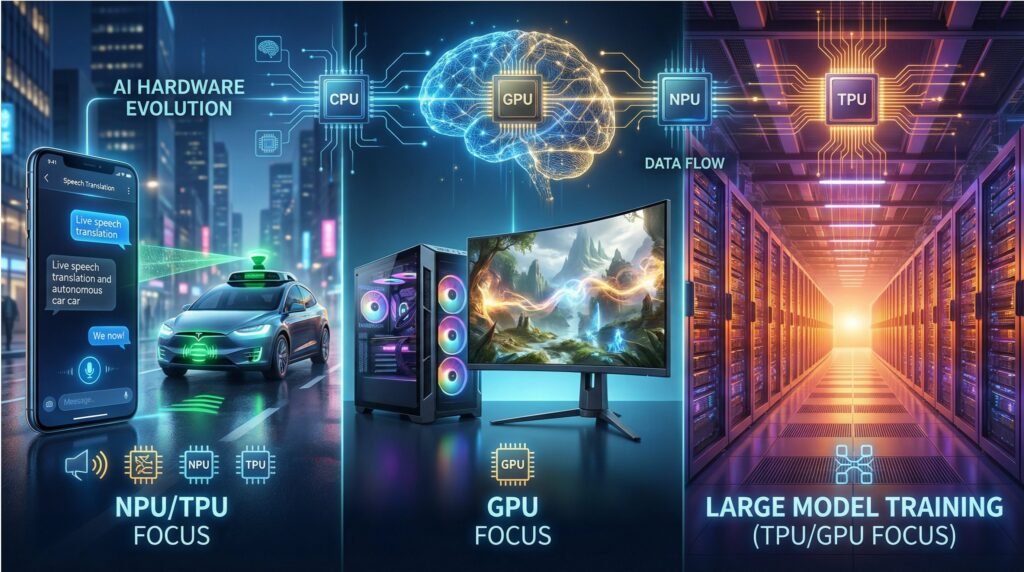
When AI Moves from the Lab to Daily Life – From Real-time Phone Translation to Data Center Model Training, From Ray Tracing in Games to Environmental Perception in Autonomous DrivingFrom real-time translation on phones to model training in data centers, and from ray tracing in games to environmental perception in autonomous driving, a single hardware platform can no longer handle diverse computing demands. The “jack-of-all-trades” model of traditional CPUs is gradually being replaced by “specialized chips for specific tasks.” CPUs, GPUs, TPUs, and NPUs have each claimed their specialized lanes, forming the hardware foundation of the AI era. This article will deconstruct the technical features, application scenarios, and selection logic of these four core processors, helping you clarify the underlying principle of “what hardware to use for what scenario.”
Deep Dive: Technical Characteristics and Scenario Positioning of Four Processor Types
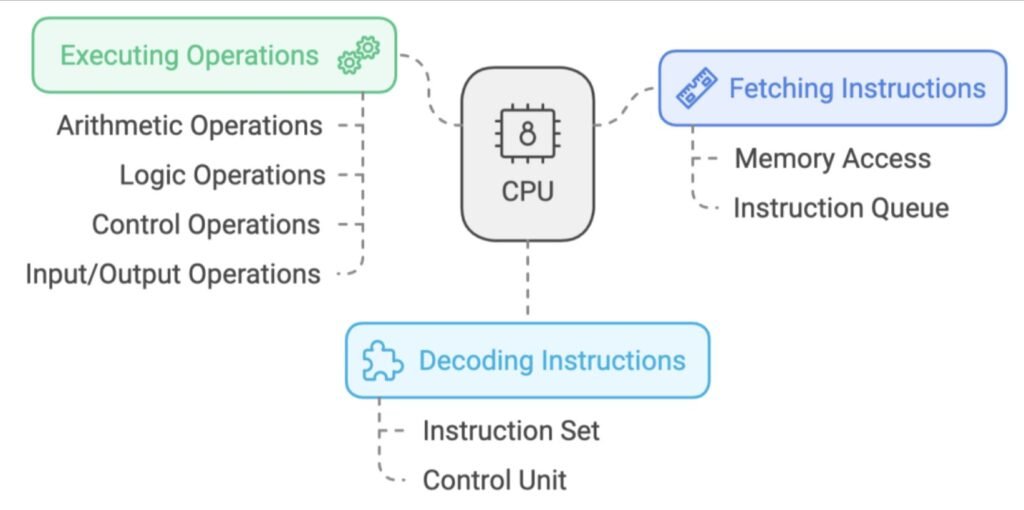
1. CPU: The “Command Center” for General-Purpose Computing
Core Role: As the “brain center” of a computer, the CPU is responsible for core tasks like instruction scheduling and system management. It excels at handling complex single-threaded tasks involving logical judgment and serial computation, serving as the fundamental computing unit for all devices.
Architecture: Typically equipped with 2 to 64 high-performance cores (e.g., Intel Xeon’s 28-core design), with base clock speeds generally ranging from 3 to 5 GHz, optimized for single-threaded execution efficiency. It features a rich cache hierarchy (L1/L2/L3) for rapid response to temporary data needs.
Performance: Less efficient for AI parallel tasks (single-precision GFLOPS usually range from tens to a few hundred) but offers balanced power efficiency. Suitable for supporting small-scale AI inference (e.g., running simple classification models with Python scripts).
Typical AI Scenarios: Prototyping for classic machine learning algorithms (e.g., decision trees, support vector machines), low-throughput inference tasks (e.g., real-time data classification on servers), and task scheduling for AI systems (e.g., coordinating data exchange between GPU and memory).
Limitations & Fit: Not suitable for deep learning model training (insufficient parallel computing power). However, due to its general-purpose nature, almost all devices (computers, servers, embedded systems) are built upon a CPU foundation. Common models include Intel Core series, AMD Ryzen, and ARM Cortex-A series.
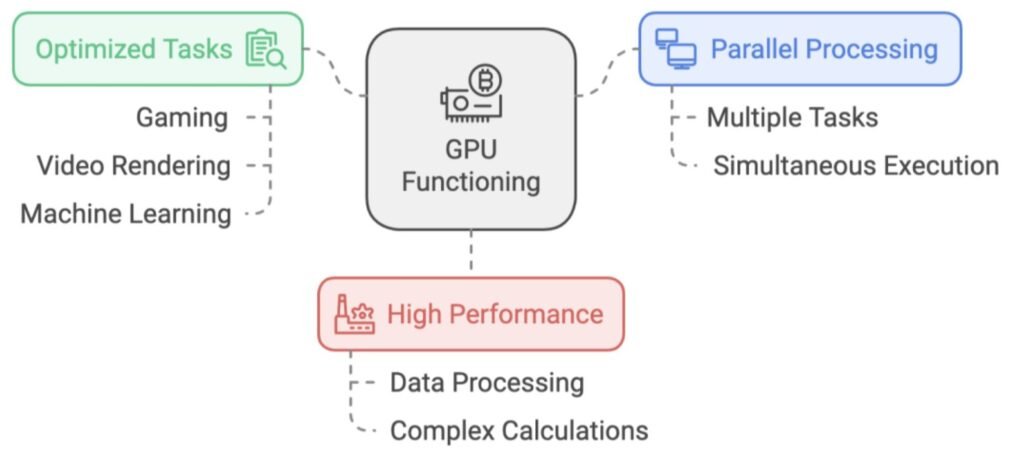
2. GPU: The “Super Factory” for Parallel Computing
Core Role: Originally designed for graphics rendering, now the “main force” for AI training and parallel computing. Excels at processing thousands of simple tasks simultaneously (e.g., pixel calculations, matrix operations), serving as the “infrastructure” for deep learning.
Architecture: Employs a “many-core” architecture. Taking the NVIDIA RTX 50 series as an example, models based on the Blackwell architecture feature over 20,000 CUDA cores, combined with Tensor Cores supporting FP16/FP8 mixed-precision computing, significantly boosting AI training efficiency.
Performance Leap: The RTX 50 series achieves an 8x performance leap via DLSS 4 technology, with single-card AI computing power reaching hundreds of TFLOPS. GPUs with AMD’s RDNA 4 architecture are also catching up rapidly within the open-source ecosystem (e.g., ROCm), becoming an option for multi-platform AI training.
Typical AI Scenarios: Training of large models like Convolutional Neural Networks (CNNs) and Transformers (e.g., training a 1-billion parameter image generation model), large-scale data parallel processing (e.g., processing million-image datasets), compatible with mainstream frameworks like TensorFlow and PyTorch.
Limitations & Fit: Inefficient for serial tasks (performance waste when running office software), relatively high power consumption (high-end models exceed 400W). Suitable for fixed-power scenarios like data centers and AI labs. Mainstream products include NVIDIA A100/H100 and AMD MI300 series.
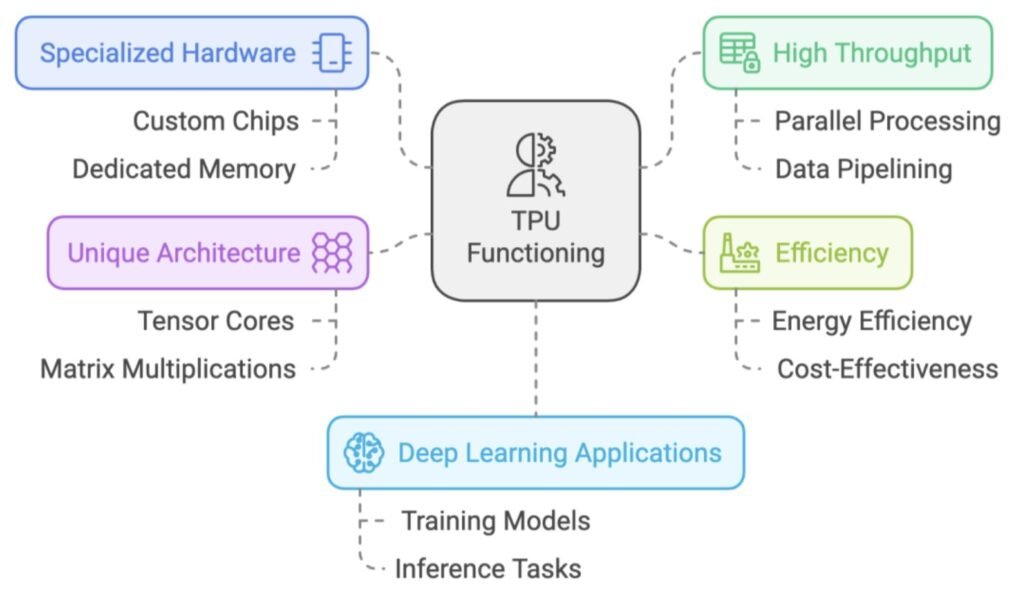
3. TPU: The “Custom Engine” for Cloud AI
Core Role: A custom Application-Specific Integrated Circuit (ASIC) built by Google specifically for machine learning. Focuses on optimizing tensor operations, acting as the “behind-the-scenes powerhouse” for its search engine and large model training. The Ironwood TPU v7 launched in 2025 delivers 4,614 TFLOPS of computing power.
Architecture: Deeply optimized for the TensorFlow framework, incorporating a large number of Matrix Multiply Units (MXUs). Utilizes 8-bit integer (INT8)/16-bit brain floating-point (BF16) precision, sacrificing some generality for gains in AI computational efficiency.
Energy Efficiency Advantage: Compared to GPUs of similar class, offers 30-80% better energy efficiency for AI tasks. When training models like BERT or GPT-2, it can reduce power consumption and cooling pressure in data centers.
Typical AI Scenarios: Large-scale model training in the cloud (e.g., iterative optimization of Google Gemini), high-throughput inference (e.g., real-time semantic analysis for search engines). Only supports Google’s ecosystem of AI toolchains.
Limitations & Fit: Extremely poor generality (cannot handle graphics rendering or general-purpose computing). Accessible only via Google Cloud. Suitable for enterprises deeply integrated with the Google ecosystem (e.g., AI recommendation systems for YouTube).
4. NPU: The “Energy-Saving Specialist” for On-Device AI
Limitations & Fit: Cannot handle model training (insufficient computing power), supports only inference tasks, and relies on the device manufacturer’s software ecosystem (e.g., Apple Core ML, Qualcomm SNPE). Commonly found in consumer electronics, such as the Apple Neural Engine and Samsung Exynos NPU.
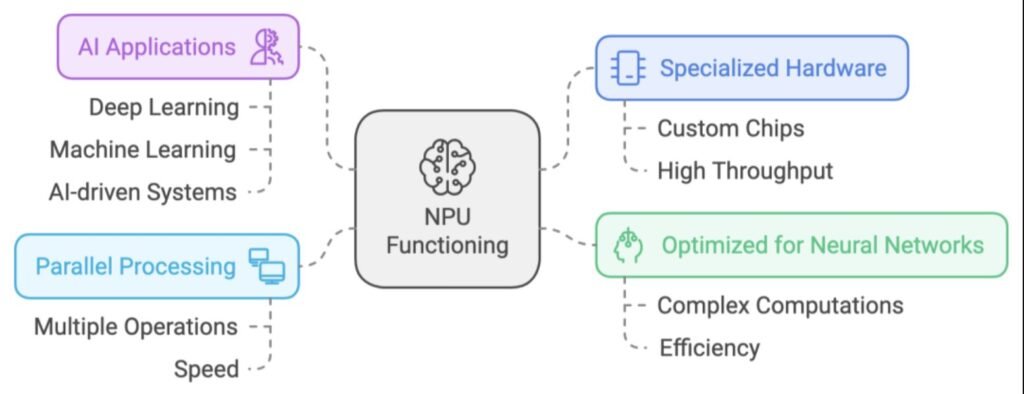
Core Role: AI processor designed specifically for edge devices (phones, IoT devices), focusing on real-time inference in low-power scenarios. The NPU in flagship phones in 2025 (e.g., the Hexagon NPU in Snapdragon 8 Elite) offers 45% better energy efficiency compared to the previous generation.
Architecture: Mimics the connection patterns of neurons in the human brain. Incorporates dedicated Multiply-Accumulate (MAC) units and high-speed cache. Supports low-precision calculations like INT4/FP8, enabling efficient inference within strict power budgets.
Performance Characteristics: Single-chip computing power typically ranges from tens of TOPS (Trillions of Operations Per Second), but with power consumption of only a few watts (e.g., 2-5W for phone NPUs). Can support real-time tasks (e.g., completing facial feature matching within 100ms).
Typical AI Scenarios: On-device AI features on mobile devices (iPhone’s Face ID unlock, Huawei phone’s AI photography optimization), inference on edge devices (abnormal behavior detection by smart cameras, heart rate anomaly alerts on smartwatches), in-vehicle voice interaction (e.g., real-time command recognition).
Scenario-Based Selection: How to Match Hardware with Needs?
Select by Task Type
Daily General Tasks: Prioritize CPU – Whether opening a browser, running office software, or coordinating device hardware (like controlling fan speed), the CPU’s serial processing capability and generality are the best choice.
AI Training / Large-Scale Parallel Computing: Choose GPU or TPU – For training models with tens of millions of parameters or more (e.g., ResNet, GPT), use a GPU (compatible with multiple frameworks) or TPU (Google ecosystem). If graphics rendering is also needed (e.g., game engine development), GPU is the only option.
On-Device Real-Time AI: NPU is a Must – Mobile devices like phones and smartwatches require real-time inference (e.g., voice assistant wake-up) with low power consumption, where the NPU’s energy efficiency advantage is irreplaceable.
Multi-Hardware Collaboration Examples
In modern systems, these four hardware types often work in “division of labor”:
AI Workstation: The CPU handles task scheduling (e.g., assigning data loading, model saving tasks), the GPU handles the parallel computation for model training, and the SSD provides high-speed data read/write. The three work together to enhance training efficiency.
Smartphone: The CPU manages system resources (e.g., calling camera hardware), while the NPU processes AI tasks in real-time (e.g., scene recognition and beautification optimization during photography). The two collaborate for a low-latency experience.
Autonomous Vehicle: The CPU coordinates vehicle control logic, the GPU processes image stitching from multiple cameras, the NPU performs real-time pedestrian/traffic light recognition (edge inference), and the TPU (cloud) periodically optimizes the recognition model, forming an “edge-cloud collaborative” loop.
The “Division of Labor” in AI Hardware and Future Trends
The CPU serves as the “universal foundation,” supporting the basic operation of all devices. The GPU, with its parallel computing power, has become the “main force” for AI training and graphics processing. The TPU focuses on large-scale model training in the cloud within the Google ecosystem. The NPU brings AI from the “cloud” to “our side” (phones, watches, cars).
In the future, as AI applications deepen, hardware specialization will become more refined—we may see AI chips designed specifically for robotics, or “edge training chips” that combine the advantages of NPUs and GPUs. Regardless, “matching scenario requirements” will always be the core logic for hardware choice: choose the CPU for general purposes, the GPU for parallel tasks, the TPU for cloud-based large models, and the NPU for on-device inference.